Write with blocks
Everything on a page is a block: a paragraph, a heading, a picture, a database. Add them, change them and move them freely.
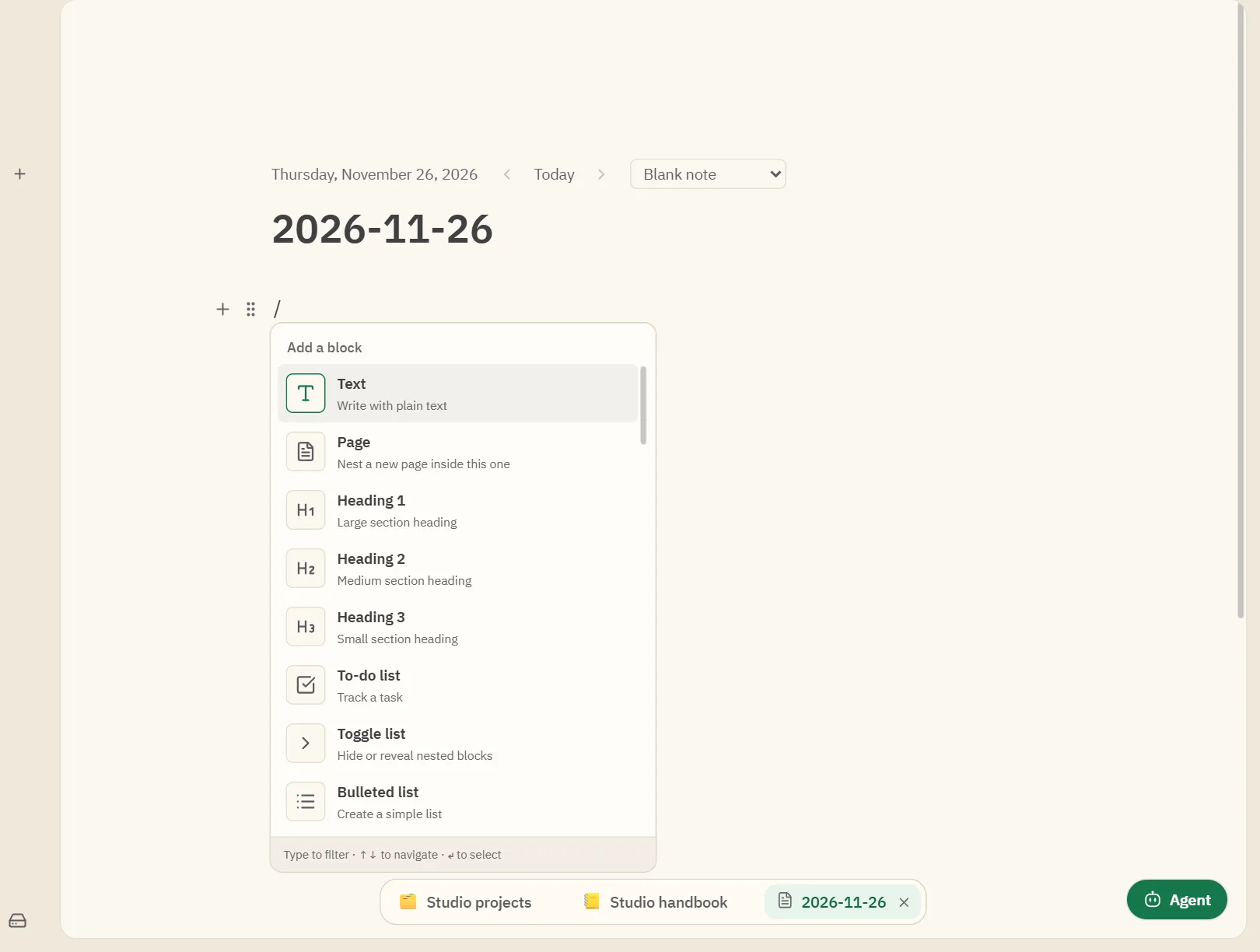
The slash menu
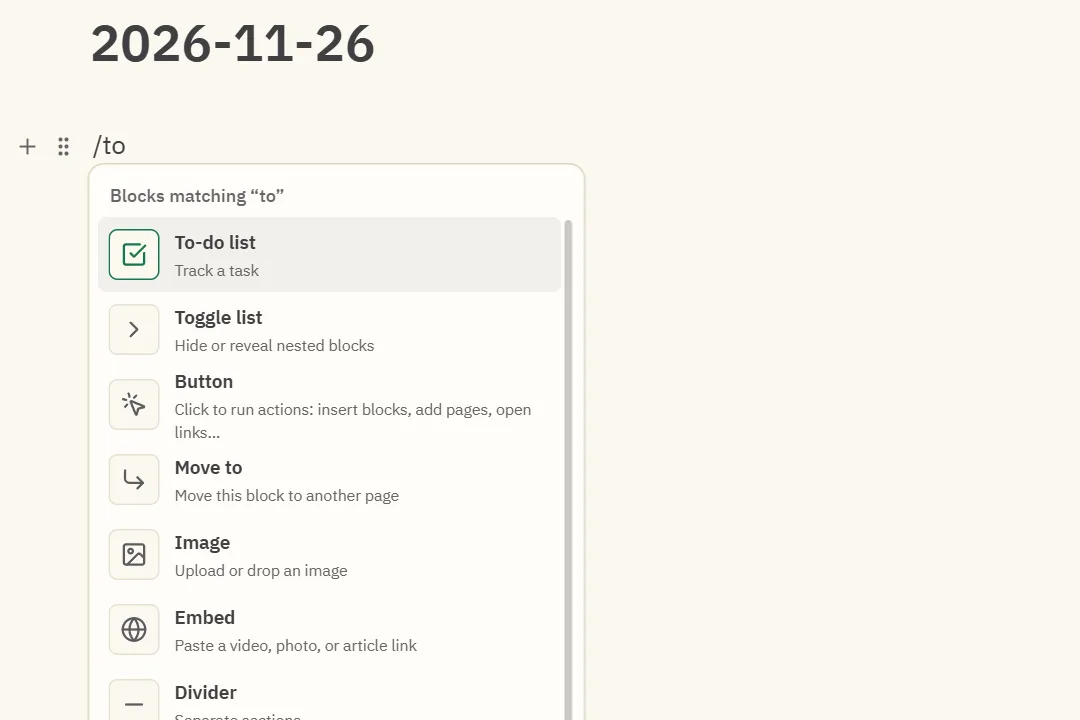
On an empty line, type /. Keep typing to filter the list, use ↑ and ↓ to choose, and press Enter.
The handles beside each block
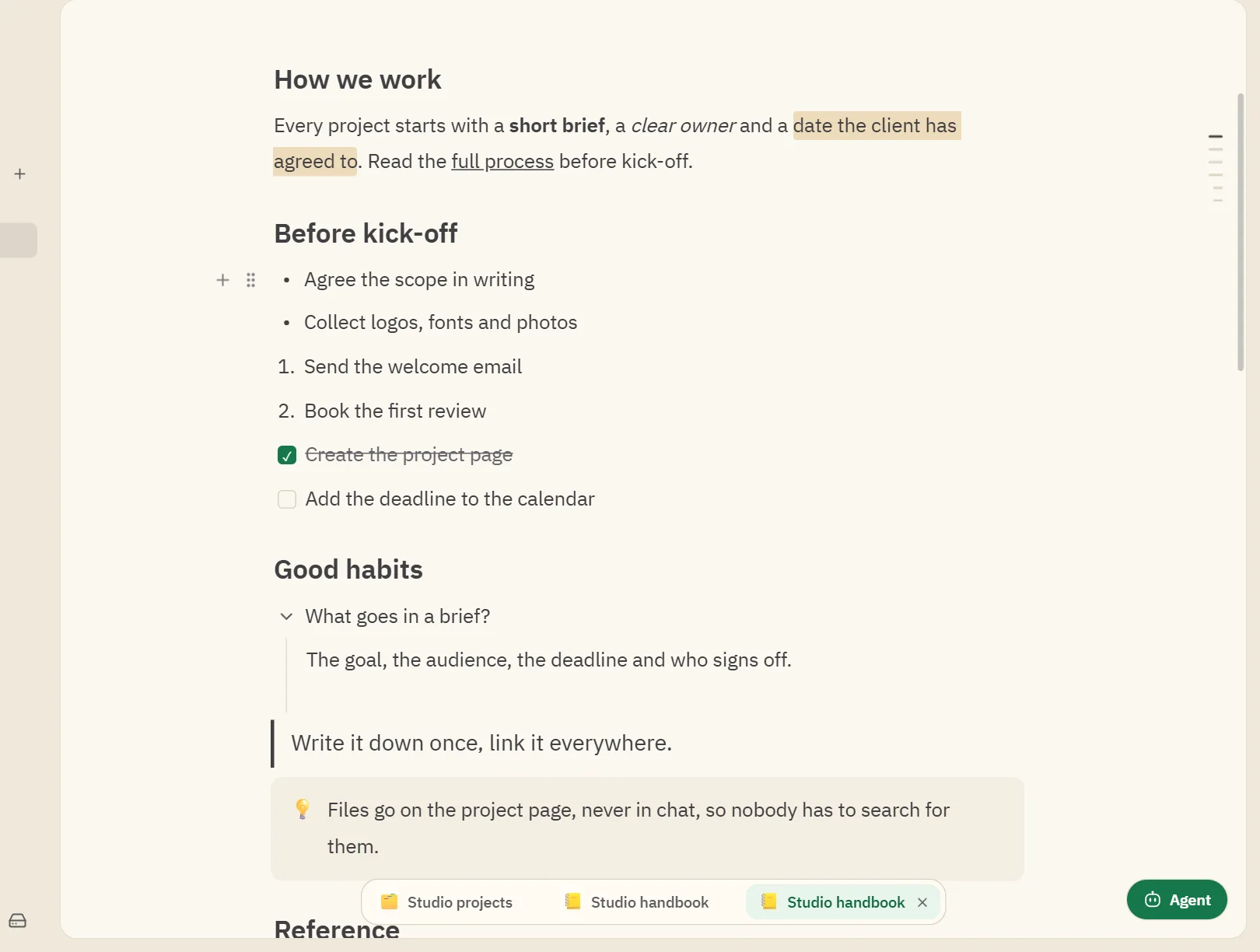
Move your mouse over a block and two controls appear at its left.
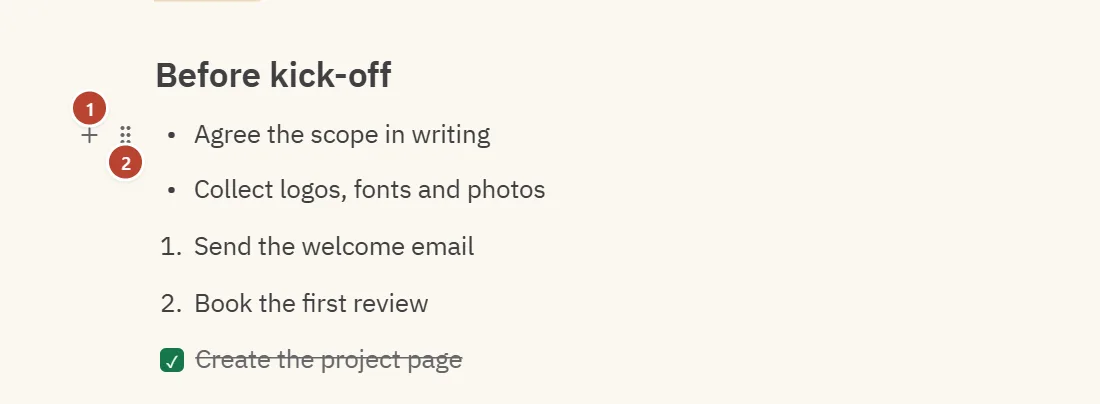
Click the handle 2 for the block menu:
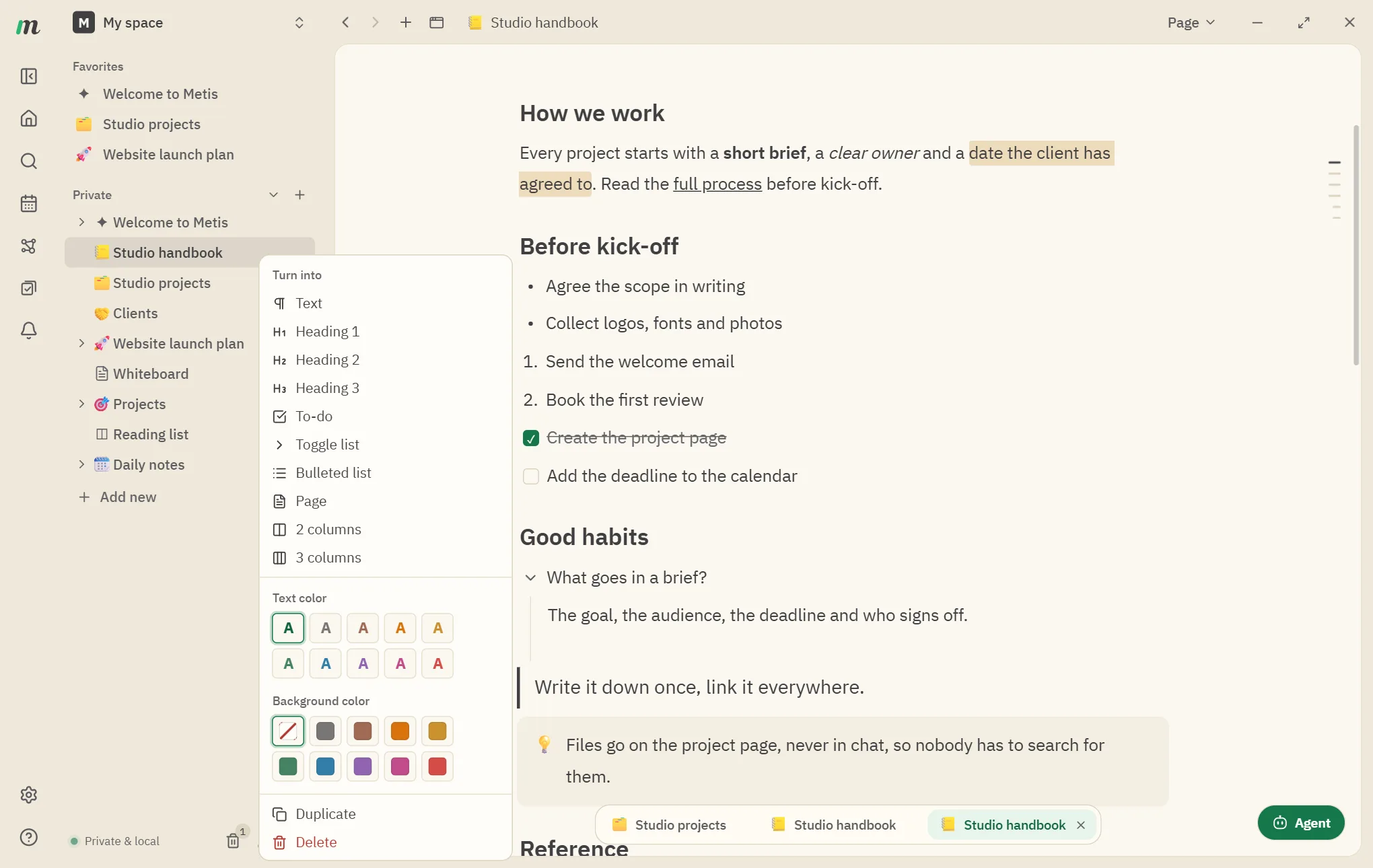
- Turn into changes the block’s type and keeps the text.
- Text color and Background color tint the block.
- Duplicate and Delete do what they say.
Type faster with Markdown
Type these at the start of a line:
| Type | To get |
|---|---|
# | Heading 1 |
## | Heading 2 |
### | Heading 3 |
- or * | Bulleted list |
1. | Numbered list |
[] | To-do |
> | Toggle list |
" | Quote |
""" | Callout |
``` | Code |
--- | Divider |
Format your text
Select some words and press a shortcut, or type the marks around the words yourself.
| Style | Shortcut | Or type |
|---|---|---|
| Bold | Ctrl B | **bold** |
| Italic | Ctrl I | _italic_ |
| Underline | Ctrl U | ++underline++ |
| Ctrl Shift X | ~~strike~~ | |
Code | Ctrl E | `code` |
| Highlight | Ctrl Shift H | ==highlight== |
| Clear formatting | Ctrl Alt \ |
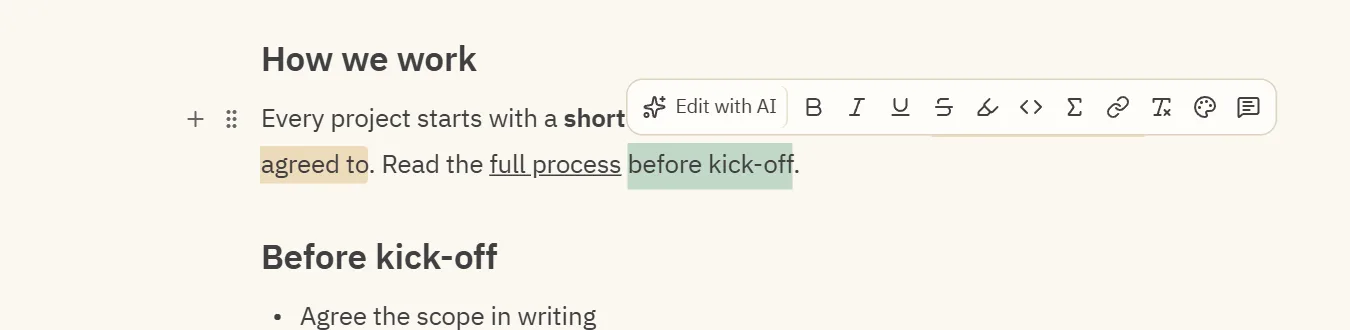
The style bar
Select some words and a bar appears above them: Edit with AI, bold, italic, underline, strikethrough, highlight, code, equation, link and clear formatting. Color tints the words, or the background behind them. Comments starts a comment on the selection.
Links
Paste or type a web address and it becomes a link. For a link with its own label, type [label](https://example.com). Links open in your browser.
Spelling
In the desktop app, misspelled words get a red wavy underline, in English and in Arabic. Right-click an underlined word to pick a correction, or choose Add to dictionary so it is no longer marked. Arabic words are checked once you finish a word or click into the text.
Handy keys while writing
| Press | To |
|---|---|
| Enter | Start a new block, or continue a list. On an empty list item, it ends the list. |
| Shift Enter | Add a line inside the same block. |
| Backspace at the start | Clear the block’s type, then merge it with the block above. |
| Ctrl Enter | Tick or untick a to-do. |
| Ctrl Shift 1 to 3 | Turn the block into Heading 1 to 3. |
| Ctrl Shift 4 / 5 / 6 | To-do / bulleted / numbered. |
| Ctrl Shift 7 / 8 / 9 | Toggle / code / page. |
| Ctrl Shift 0 | Back to plain text. |
| Ctrl Alt T | Open or close every toggle on the page. |
| Ctrl J | Ask for writing help: improve, continue or look things up. |
| Space on an empty line, or Ctrl Space | Dictate instead of typing. |