The Metis agent
Tell Metis what you need. It builds databases, dashboards and pages, and shows you each change before it happens.
Open the agent
Click Agent at the bottom right of the window. The panel opens beside your page. Drag its inner edge to make it wider or narrower; double-click the edge to reset it.
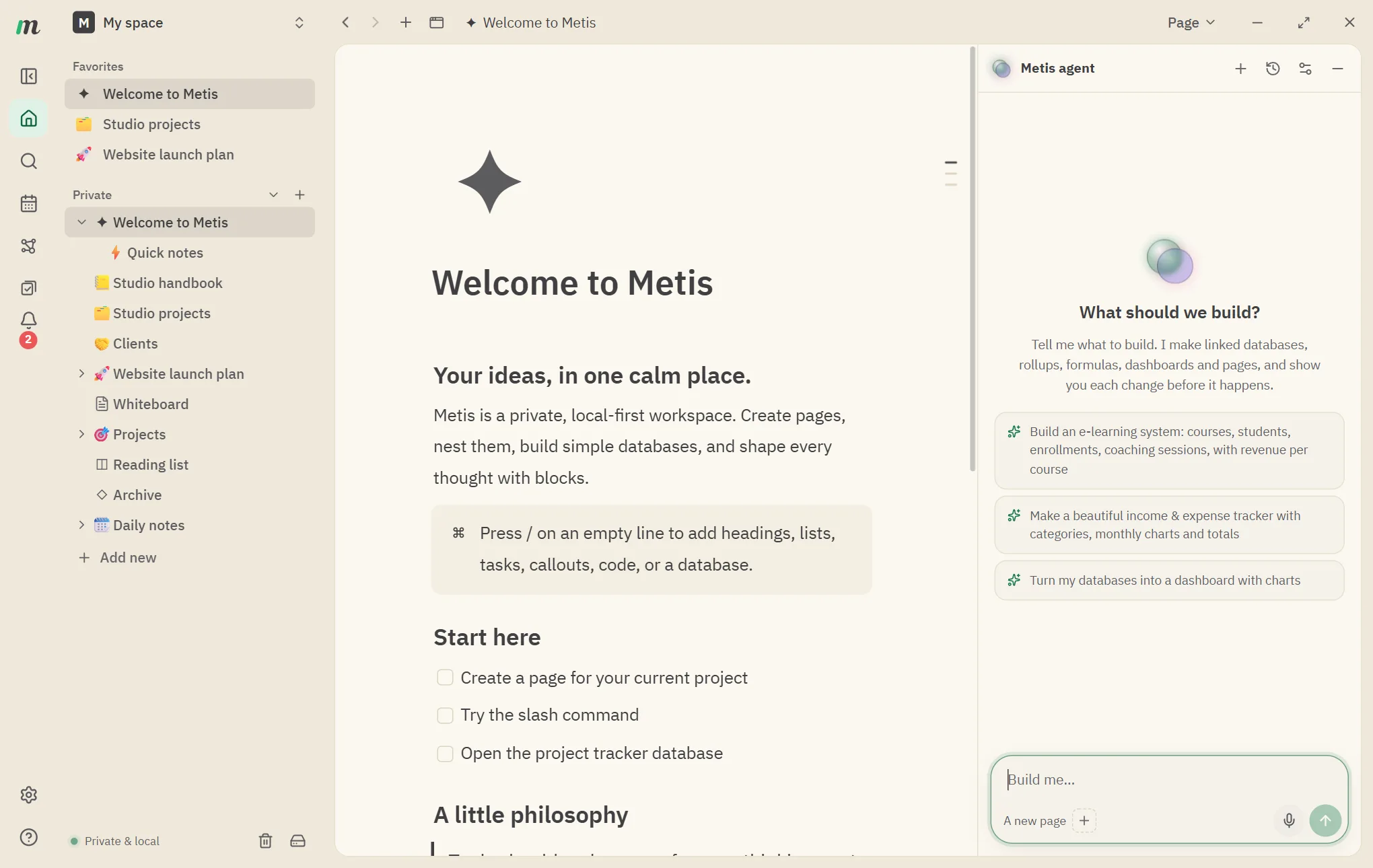
Choose how it runs
The first time, the agent asks how to run. You can change this later with Agent settings, the sliders button at the top of the panel.
- Metis AI: nothing to set up. Included with Pro and Max. A small meter beside Send shows how much of this month’s Metis AI you have used. Metis AI runs on Metis's server, so in an encrypted Private cloud it asks once before it reads your pages.
- Your own API key: use your own Claude, ChatGPT, Gemini, Grok, Kimi, DeepSeek or OpenRouter account, on any plan. You pay the provider. The key stays on this device and is sent only to the provider you pick.
With your own key you can also pick the models and an Effort level. Lower effort costs less. Each chat shows how many tokens it has used, and the cost when the provider reports it.
Ask for something
- Under Work in, press + to pick the page to work in. With no page picked, the agent makes a new page at the top level.
- Describe what you want, for example “A reading list with authors, ratings and a monthly chart”. The microphone button lets you say it instead of typing.
- Press Send.
The agent can make linked databases with relations, rollups and formulas, add sample rows, build dashboards of charts and tables, write and edit pages, change properties and views, and set icons and covers. It can also search the web, and lists its Sources when it does.
Approve each change
Nothing changes until you say so. Before each change the agent shows a preview: the new pages, tables with their first rows, the dashboard layout, or the before and after of edited rows and text. Choose Apply to go ahead or Cancel to skip it.
Undo last change takes back the agent’s last change, as long as nobody has edited those pages since. If they have, use Ctrl Z or change them back by hand.
If the agent stops before it finishes, press Continue. Press Stop to end a run early; what it already did stays.
Chats
- New chat starts fresh. Previous chats lists the chats saved on this device, to reopen or delete.
- Closing the panel only minimizes it. The agent keeps working, and its button shows Working… or Approve change when it needs you.
- The agent works only in the workspace you have open. To build in another one, switch to it first.
Writing help
Press Ctrl J while writing. Ask for anything, or pick Improve writing (with text selected), Continue writing from the cursor, or look up facts about what you are writing. Nothing is added until you choose Insert (or Replace selection); Discard drops it.
Writing help uses the same setup as the agent: Metis AI on Pro, or your own key.