Every property type
Properties are the columns of a database. Here is what each one holds.
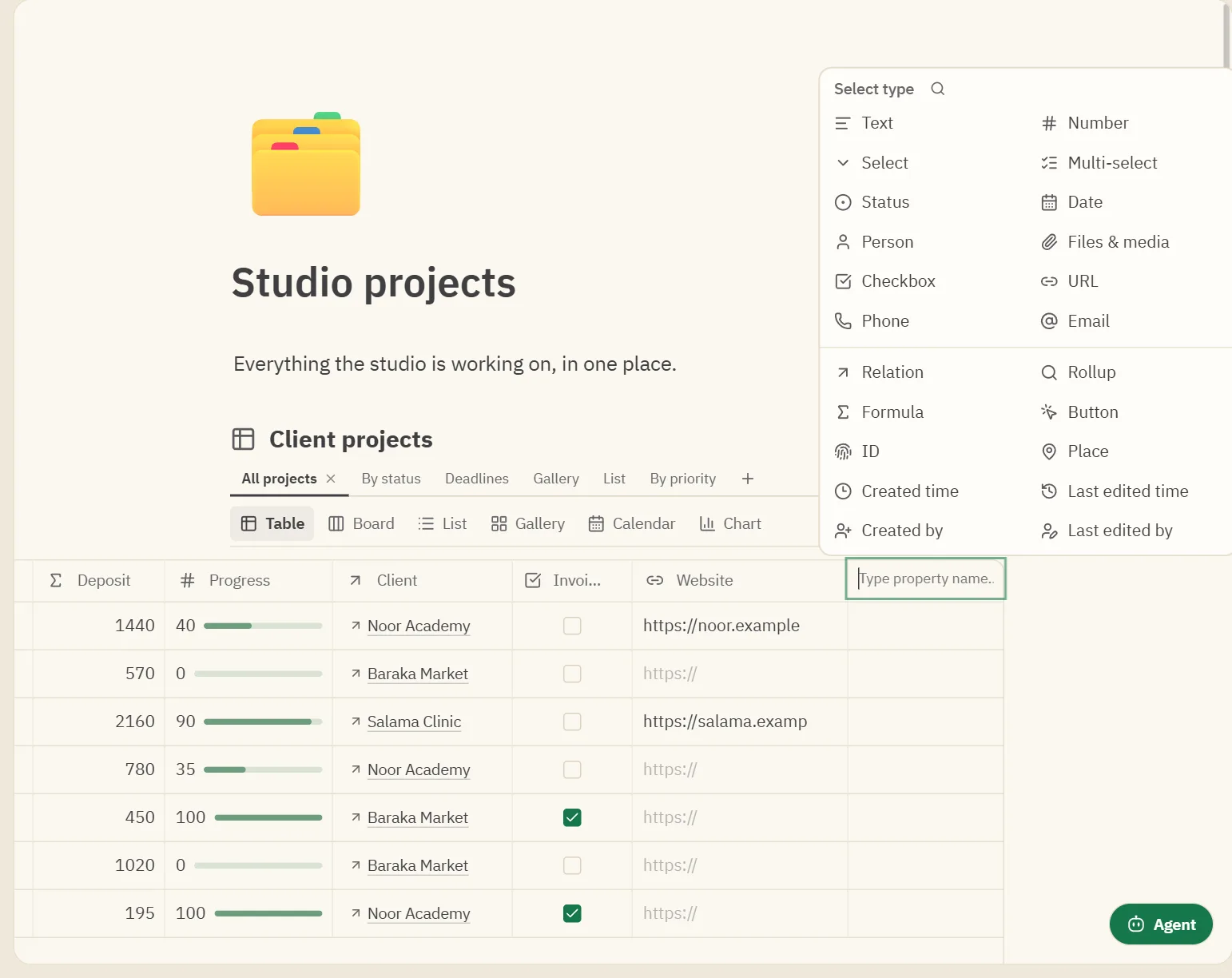
| Property | Holds |
|---|---|
| Text | Any plain text. |
| Number | Amounts and counts, with the display options below. |
| Select | One tag from a list. |
| Multi-select | Several tags at once. |
| Status | Progress through stages. Boards group by it. |
| Date | A day, with an optional end date, time and reminder. |
| Person | Assigns teammates, who get a notification. |
| Files & media | Attached files and pictures. |
| Checkbox | Done or not done. |
| URL / Phone / Email | A link, number or address you can click. |
| Place | A location that opens in maps. |
| Relation | Links to rows of another database. |
| Rollup | A summary of related rows. |
| Formula | A value calculated from other properties. |
| Button | Runs steps with one click, on every row. |
| ID | An automatic row number that is never reused. |
| Created time / Last edited time | Filled in for you. |
| Created by / Last edited by | Filled in for you. |
Tags
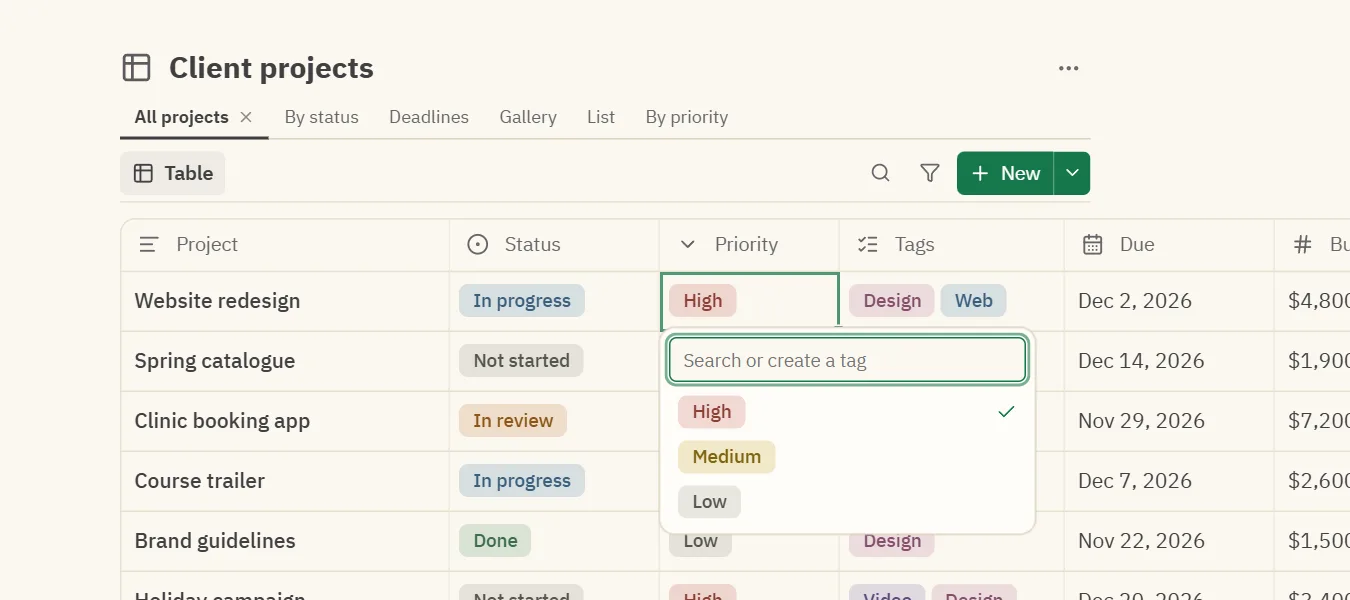
Click a tag cell to pick, search, or create an option by typing it. In the column’s menu you can reorder options by dragging, change their colours, or remove them.
Number display
Click a number column’s name:
- Number format: plain, with commas, percent, or a currency.
- Decimal places: 0 to 5.
- Show as: a number, a bar or a ring, with a colour and a Divide by value that fills it.
Good to know: Formats only change how a number looks. The stored number stays the same.
Show or hide on the row’s page
For each property, Property visibility on pages sets it to Always show, Hide when empty or Always hide.