The Graph
See your whole workspace as a living map of pages, links, databases, people and days.
Press Ctrl G or the graph button on the rail. Click a dot to open it.
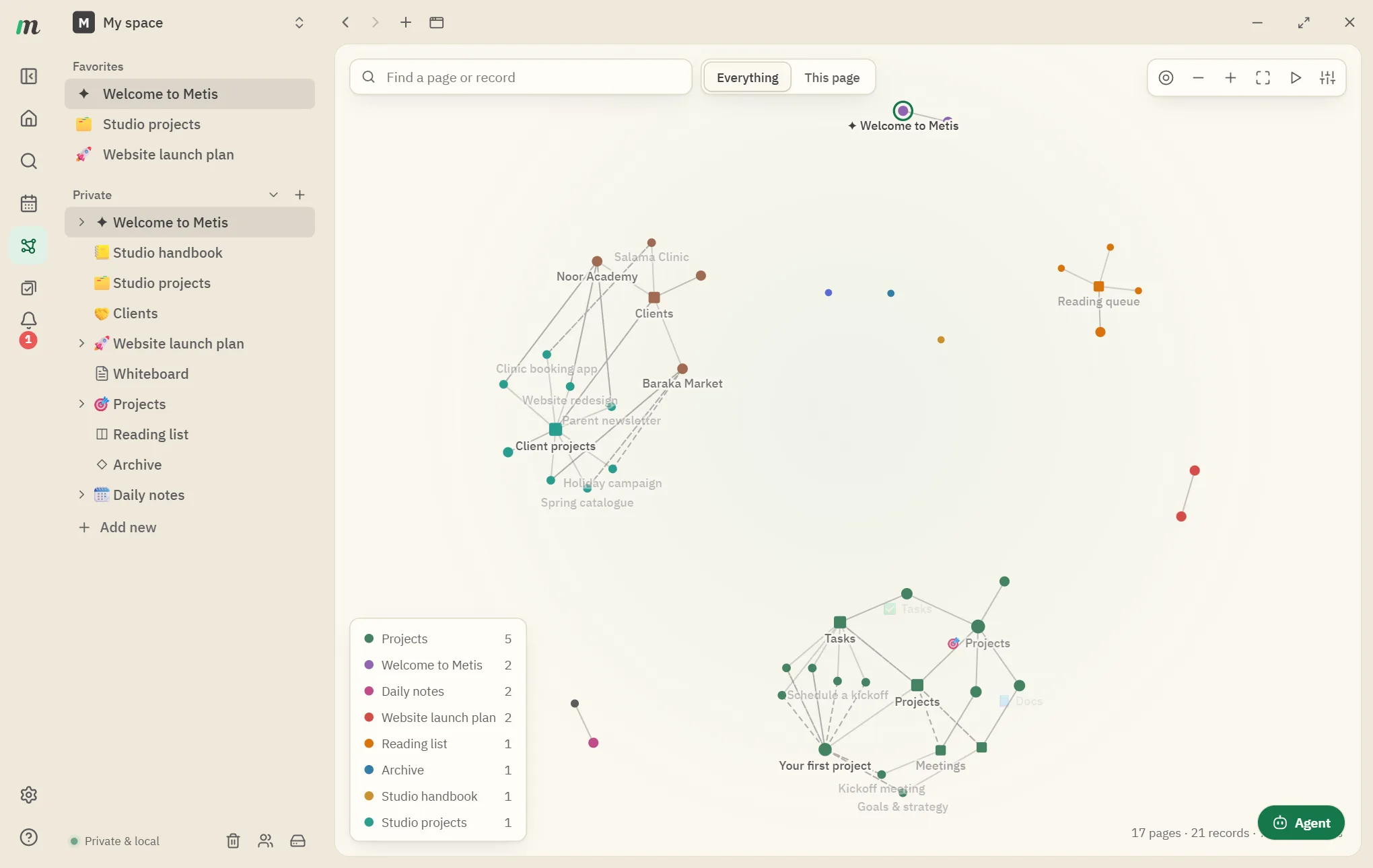
Find your way
- Find a page or record searches the map.
- Everything shows the whole workspace; This page shows what surrounds the open page, with a control for how many steps out.
- The buttons at the top right find the open page (C), zoom (- and +), fit everything (F), and replay how your workspace grew.
- The legend at the bottom left lists your top-level pages, by colour.
Choose what appears
The sliders button opens the Graph’s settings.
- Show: subpages, links and mentions, databases, records, people, dates, websites, daily notes and unconnected pages.
- Display: node size, link thickness, label fade, arrows and motion.
- Forces: centre pull, repel, link pull, link distance, and group together.
A map inside a page
Type /connections for a Connections block, a small map of what that page links to. It fills up as you link the page to others.